 Recently, Google has launched it’s new social media platform, Buzz. It is an extension to Gmail which enables you to share photos, links, videos, information and more with your contacts. Or simply can be said that Buzz is a mixture of Twitter, Facebook, Google Reader, Picasa and many other services.

In this simple tutorial, I am going to teach you how to integrate a “Buzz This” buttons in your blog to share your blog posts on Google Reader. But, this is not an official button released by Google. It was created by Andrew Brett, a Software Engineer at TechCrunch.
First, log into Blogger. Then go to Layout > Edit HTML and check the ” Expand Widgets Template” box. Now, search for this piece of code.
Immediately before the code above, paste the following code.
<a expr:href=’"http://www.google.com/reader/link?url=" + data:post.url + "&title=" + data:post.title + "&srcTitle=" + data:blog.title’ target=’_blank’><div style=’float:right;padding: 3px;’><img alt=’Buzz Me’ src=’http://1.bp.blogspot.com/_b8IA1ajBJG8/S4I4bI7Q6mI/AAAAAAAAAog/zvop1rWttFI/googlebuzz.gif’/></div></a>
<!–Buzz-Me-Code-Ends-http://introblogger.blogspot.com–>
Update: For Classic Blogger Templates
Go to Template > Edit HTML. Then, search for this code.
Immediately before that code, paste the following code.
<a href=’http://www.google.com/reader/link?url=<$BlogItemPermalinkURL$>&title=<$BlogItemTitle$>&srcTitle=<$BlogTitle$>’ target=’_blank’><div style=’float:right;padding: 3px;’><img alt=’Buzz Me’ src=’http://1.bp.blogspot.com/_b8IA1ajBJG8/S4I4bI7Q6mI/AAAAAAAAAog/zvop1rWttFI/googlebuzz.gif’/></div></a>
<!–Buzz-Me-Code-Ends-http://introblogger.blogspot.com–>
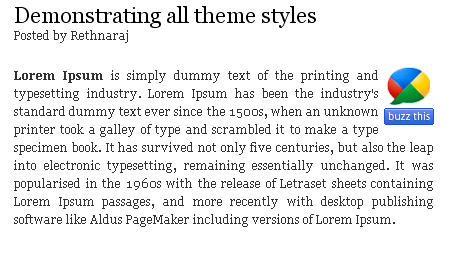
It will look like this in your post. This button will float at the right side of your post. If you want it to float at left side all you have to do is just changing the “right” to “left” in bolded text in code above.
And this is another version of the “Buzz This” button, a “Buzz it” button. Search for this piece of code.
Now, immediately before that code, paste the code shown below.
<a style=”float: right; padding-left: 19px; background-image: url(http://4.bp.blogspot.com/_b8IA1ajBJG8/S4I4FVRmbyI/AAAAAAAAAoQ/RXsKMbkj3Yw/buzz-icon2.png); background-repeat: no-repeat;” expr:href=’"http://www.google.com/reader/link?url=" + data:post.url + "&title=" + data:post.title + “&srcTitle=” + data:blog.title’ target=’_blank’> Buzz it</a>
<!–Buzz-Me-Code-Ends-http://introblogger.blogspot.com–>
Update: For Classic Blogger Templates
Go to Template > Edit HTML. Then, search for this code.
Immediately after that code, paste the following code.
<a style="float: right; padding-left: 19px; background-image: url(http://4.bp.blogspot.com/_b8IA1ajBJG8/S4I4FVRmbyI/AAAAAAAAAoQ/RXsKMbkj3Yw/buzz-icon2.png); background-repeat: no-repeat;" href=’http://www.google.com/reader/link?url=<$BlogItemPermalinkURL$>&title=<$BlogItemTitle$>&srcTitle=<$BlogTitle$>’ target=’_blank’> Buzz it</a>
<!–Buzz-Me-Code-Ends-http://introblogger.blogspot.com–>
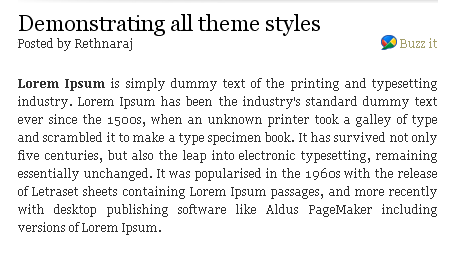
This is how this button will look like in your blog.
I'm jealous! What about one for classic templates?
@Highton-Ridley
Hi, I've never used classic templates before. I was a bit confused when editing and creating suitable code for classic template. But, I managed to create code for Classic template…I've updated the post with the code…hehe^_^!!
Nicely explained. It's indeed an art to stop new visitors with your attractive writing style. Truly impressive and nice information. Thanks for sharing.
—————————————————
Dissertation Writing | Dissertation Advice
The blogger is Huge network for blogging i get lots of interesting information from here, hope blogger will modify and increase attributes to make it simpler.
Dissertation Writing | Dissertation Topics
This kind of information is very limited on internet. Nice to find the post related to my searching criteria. Your updated and informative post will be appreciated by blog loving people.
dissertation help|thesis help|assignment help
Hi, I've never used classic templates before. I was a bit confused when editing and creating suitable code for classic template.
online website design | web design | free website design | Realsoft Technologies
Thanks for sharing this nice blog articles.
assignment writing
assignment help
real soft technologies